
A long article without clear headings is difficult to read.
Even when the information is excellent, readers can struggle to understand:
- where one idea ends
- where the next topic begins
- which sections are most important
- how different concepts relate
That is why heading structure for SEO matters.
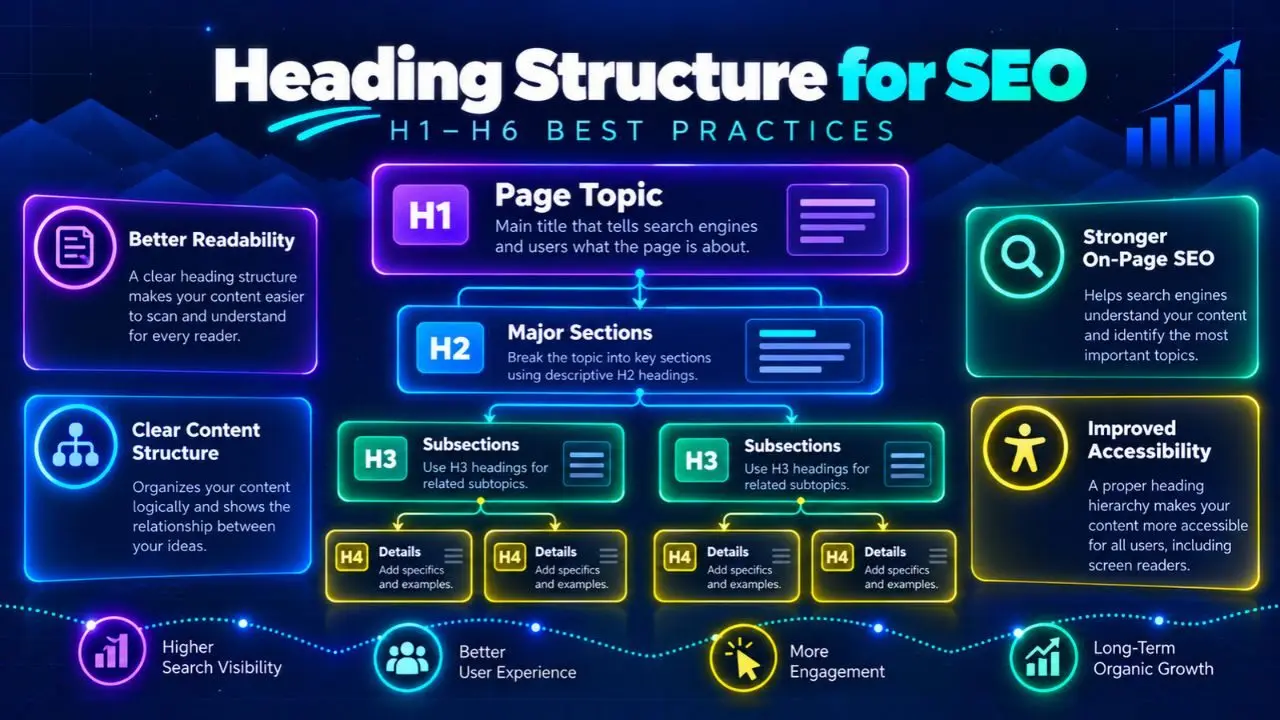
Headings create hierarchy.
They divide a page into understandable sections and help readers quickly scan the content before deciding where to focus.
A well-structured page may look like:
H1 → H2 → H3 → H3 → H2 → H3
rather than:
large bold text → random H4 → H2 → another H1 → styled paragraph
The first creates a logical document structure.
The second may look visually acceptable while communicating the hierarchy poorly.
Good heading optimization is not about stuffing keywords into every H2.
It is about creating a page structure that accurately reflects:
- the main topic
- major sections
- supporting subsections
- relationships between ideas
Google’s current people-first content guidance specifically asks whether the main heading or page title provides a descriptive, helpful summary of the content. Clear headings are therefore part of producing content that is easier for people to understand.
This guide explains how H1–H6 headings work, how to build a logical hierarchy, whether you should use one H1, how keywords should appear in headings, what mistakes to avoid, and how to structure headings for blogs, ecommerce, SaaS, local pages, and large websites.
What Is Heading Structure?
Heading structure is the hierarchical organization of headings and subheadings on a web page.
HTML provides six heading levels:
<h1>Main Page Topic</h1>
<h2>Major Section</h2>
<h3>Supporting Subsection</h3>
<h4>Deeper Subsection</h4>
<h5>Additional Detail</h5>
<h6>Lowest-Level Heading</h6>
The numbers indicate hierarchy.
They should not be interpreted simply as:
- H1 = biggest text
- H2 = slightly smaller
- H3 = even smaller
Visual appearance should normally be handled through CSS.
Heading levels should describe the structure of the content.
A Simple Heading Hierarchy
Imagine an article about keyword research.
A logical structure could be:
Keyword Research
What Is Keyword Research?
Why Keyword Research Matters
How to Do Keyword Research
Find Seed Keywords
Discover Long-Tail Keywords
Analyze Search Intent
Evaluate Keyword Difficulty
Common Keyword Research Mistakes
Final Thoughts
The page has one main topic.
Its H2s divide that topic into major sections.
Its H3s divide one major section into smaller steps.
That is a meaningful hierarchy.
Why Heading Structure Matters
Heading structure primarily helps organize information.
It benefits several parts of the page experience.
It Makes Long Content Easier to Scan
Many users do not begin by reading an article word for word.
They scan.
Headings allow them to quickly identify:
- whether the page answers their question
- where relevant information appears
- how detailed the article is
Consider two 4,000-word articles.
Article A
Contains long paragraphs with almost no headings.
Article B
Uses descriptive H2s and H3s to divide major ideas.
Even if both contain the same information, Article B is easier to navigate.
It Creates Clear Content Relationships
A hierarchy shows which ideas belong together.
For example:
Internal Linking
Choosing Relevant Destination Pages
Writing Anchor Text
Finding Orphan Pages
All three H3s clearly belong to the larger Internal Linking section.
Without hierarchy, that relationship is less obvious.
It Helps Accessibility
People using assistive technology may use headings to navigate through a document.
This is one reason semantic heading elements are preferable to text that merely looks like a heading.
For example:
<p class="huge-bold-text">Technical SEO</p>may visually resemble a heading.
But:
<h2>Technical SEO</h2>communicates an actual structural heading.
Google’s developer accessibility guidance similarly recommends descriptive headings, proper heading elements, and a logical hierarchy.
H1 vs H2 vs H3: What Is the Difference?
Each heading level represents a different position within the document hierarchy.
H1: Main Page Heading
The H1 normally represents the primary topic of the page.
Example:
Heading Structure for SEO: 12 Best Practices
It should make the page’s subject immediately clear.
H2: Major Sections
H2 headings divide the main topic.
Examples:
Why Heading Structure Matters
How to Optimize Heading Structure
Common Heading Mistakes
H3: Subsections of an H2
H3 headings break an H2 into smaller ideas.
Example:
How to Optimize Heading Structure
Start With a Clear H1
Build Logical H2 Sections
Use H3s for Supporting Ideas
The H3s belong conceptually underneath the H2.
H4–H6: Deeper Levels
These levels are useful when a section requires additional hierarchy.
For example:
Ecommerce Heading Structure
Category Pages
Product Pages
You do not need to use all six heading levels on every page.
Many articles need only:
- H1
- H2
- H3
Complex documentation may require deeper levels.
Do You Need Exactly One H1?
For most editorial pages, using one clear H1 for the main page topic is a clean and practical convention.
For example:
<h1>Heading Structure for SEO</h1>followed by H2s and H3s.
This creates an easy-to-understand hierarchy.
However, avoid turning “one H1” into an exaggerated SEO myth.
The important goal is not:
One H1 because otherwise Google will punish the page.
The better goal is:
One obvious primary page heading makes the document structure simpler and clearer.
Google’s developer documentation style guidance recommends a level-one heading for the page title or main content heading.
For your WordPress publishing workflow, I recommend one H1 per article because it keeps your editorial structure predictable.
12 Heading Structure SEO Best Practices
1. Use One Clear Main Heading
Your primary heading should accurately summarize the page.
For this article:
H1:
Heading Structure for SEO: 12 Best Practices for H1–H6 Headings
That immediately tells the reader:
- the topic
- the format
- the scope
Avoid vague H1s such as:
Complete Guide
or:
Everything You Need to Know
without clearly naming the topic.
2. Make the H1 Match the Page’s Search Intent
The heading should reflect what the visitor expects after clicking.
Suppose the query is:
heading structure SEO
A strong H1 could be:
Heading Structure for SEO: 12 Best Practices for H1–H6 Headings
A weak H1 would be:
Welcome to My SEO Blog
The second does not confirm that the visitor reached the right resource.
Your existing Search Intent framework should guide this decision.
3. Use H2s for Major Sections
Think of H2s as chapters.
For this article, major sections include:
- What Is Heading Structure?
- Why Heading Structure Matters
- H1 vs H2 vs H3
- Heading Structure Best Practices
- Common Mistakes
- FAQ
Each section represents a meaningful part of the overall topic.
Do not create H2s simply because you want more keywords on the page.
4. Use H3s to Support an H2
An H3 should normally explain or subdivide its parent H2.
For example:
Heading Structure for Ecommerce
Category Pages
Product Pages
Buying Guides
Those subsections belong naturally together.
If an H3 introduces a completely new major topic, it probably needs to be an H2 instead.
5. Keep the Hierarchy Logical
A clean structure might be:
H1
  H2
    H3
    H3
  H2
    H3
      H4
  H2
Avoid unnecessarily confusing patterns such as:
H1
  H4
H2
  H5
H2
Google’s developer accessibility guidance recommends using a heading hierarchy and avoiding skipped heading levels.
From a practical editorial standpoint, following the hierarchy also makes the document easier for writers, editors, developers, and readers to understand.
6. Do Not Choose Heading Levels Based on Font Size
Suppose you want a smaller heading.
Do not change:
H2 → H4
simply because your theme renders H4 smaller.
Use CSS to adjust design.
HTML hierarchy and visual styling are different concerns.
For example:
.article h2 {
  font-size: 32px;
}
The heading can remain an H2 structurally while looking exactly how your design requires.
7. Write Descriptive Headings
Weak:
More Information
Better:
How to Audit Heading Structure
Weak:
Things to Know
Better:
Common Heading Structure Mistakes
Descriptive headings make the article easier to scan.
They also help a reader understand what information appears in each section before reading the paragraphs underneath.
8. Use Keywords Naturally
A heading can include a primary or secondary keyword when it fits naturally.
For example:
Heading Structure for Ecommerce SEO
is useful.
But this is not:
Heading Structure SEO H1 H2 H3 SEO Heading Tags Best Practices
Avoid keyword stuffing.
Not every H2 needs the primary keyword.
Use headings to describe the section accurately.
9. Avoid Repeating the Same Heading
Multiple identical headings can make a document confusing.
Imagine:
Best Practices
later followed by:
Best Practices
The reader has no clear indication of how the sections differ.
Instead use:
Blog Heading Best Practices
and:
Ecommerce Heading Best Practices
when those are the actual subjects.
10. Keep Headings Useful Without Making Them Too Long
Headings should usually be concise enough to scan quickly.
For example:
Better
How to Audit Heading Structure
Overwritten
How You Can Go About Performing a Complete Audit of All of the Heading Elements That Exist Across the Pages of Your Website
The first communicates the same purpose more efficiently.
There is no fixed SEO character limit for an H2.
Use editorial judgment.
11. Make the Content Under the Heading Deliver on It
A heading creates an expectation.
If you write:
How to Fix Heading Structure
the following section should actually explain how to fix it.
Do not create keyword-focused headings that are followed by:
- unrelated text
- one vague sentence
- no meaningful explanation
A useful heading and useful supporting content should work together.
12. Review the Outline Before Publishing
Before publishing, look at the headings alone.
For example:
Heading Structure for SEO
What Is Heading Structure?
Why Heading Structure Matters
H1 vs H2 vs H3
12 Heading Structure Best Practices
Heading Structure for Blog Posts
Heading Structure for Ecommerce
Heading Structure for SaaS
Common Heading Structure Mistakes
How to Audit Heading Structure
FAQ
Final Thoughts
Can you understand the article just from the outline?
If yes, the structure is probably clear.
If the headings look random, repetitive, or disconnected, revise them before publication.
Should You Put Keywords in H2 and H3 Headings?
Use keywords when they naturally describe the section.
Do not create a quota such as:
Primary keyword must appear in five H2s.
For this article, headings such as:
- Heading Structure for Ecommerce
- Heading Structure for SaaS
- How to Audit Heading Structure
are natural because those sections actually discuss heading structure.
But forcing:
heading structure SEO
into every heading would make the article repetitive.
Think:
relevance first, keywords second.
Can Headings Help Google Understand Content?
Clear headings can help communicate what sections of a page are about.
But avoid reducing SEO to:
Put keywords in H2s and rankings improve.
Google’s current people-first content guidance emphasizes whether the main heading or page title provides a descriptive and helpful summary of the content.
That is the useful principle:
Headings should accurately summarize content for people.
Good on-page SEO usually follows from clear information architecture rather than mechanical keyword insertion.
H1 vs Title Tag
The H1 and SEO title have related but different roles.
For this article:
SEO Title
Heading Structure for SEO: 12 Best Practices
H1
Heading Structure for SEO: 12 Best Practices for H1–H6 Headings
The SEO title is concise for search presentation.
The H1 provides slightly more context on the page.
Your previous [Title Tags] guide covers the search-title side in detail.
The two do not need to match character for character.
They should communicate the same primary topic.
Heading Structure vs Visual Design
This distinction is extremely important.
A designer may want:
- large blue text
- medium bold text
- small uppercase text
Those are visual decisions.
Heading structure should represent:
- main topic
- section
- subsection
Do not use heading elements only because of their default visual appearance.
Use CSS classes for styling.
Use heading tags for hierarchy.
Heading Structure for Blog Posts
A typical long-form blog article might use:
H1
Main article title.
H2
Major questions or sections.
H3
Steps, examples, or supporting topics.
For example:
H1: Internal Linking for SEO

H2: What Is Internal Linking?
H2: Why Internal Links Matter
H2: How to Build Internal Links
    H3: Find Relevant Pages
    H3: Choose Anchor Text
    H3: Add Contextual Links
H2: Common Internal Linking Mistakes
H2: FAQ
This is simple and readable.
Heading Structure for Ecommerce
Ecommerce page structures vary.
Category Pages
Example:
H1
Men’s Trail Running Shoes
H2
Choose Trail Running Shoes by Terrain
H2
How to Find the Right Fit
H2
Frequently Asked Questions
Do not create dozens of meaningless headings just to insert category keywords.
Product Pages
Possible structure:
H1
Product Name
H2
Product Details
H2
Features
H2
Sizing and Fit
H2
Shipping and Returns
The exact structure depends on the shopping experience.
Heading Structure for SaaS
A SaaS feature page may use:
H1
CRM Workflow Automation
H2
Automate Repetitive Sales Tasks
H2
How CRM Automation Works
H2
Common Automation Workflows
Lead Follow-Up
Deal Stage Updates
Sales Notifications
H2
Integrations
H2
Get Started
This structure follows the buyer’s information needs rather than a keyword density template.
Heading Structure for Service Pages
A service page could use:
H1
Technical SEO Consulting
H2
Technical SEO Problems I Help Solve
H2
What’s Included
H2
How the Process Works
H2
Who the Service Is For
H2
Frequently Asked Questions
Each H2 helps the visitor evaluate the service.
Heading Structure for Local SEO Pages
A local service page might use:
H1
SEO Consultant in Karachi
H2
SEO Services for Karachi Businesses
H2
How the SEO Process Works
H2
Local and Organic Search Strategy
H2
Frequently Asked Questions
Avoid creating awkward headings such as:
Best SEO Karachi SEO Services Karachi SEO Expert Karachi
Write for humans.
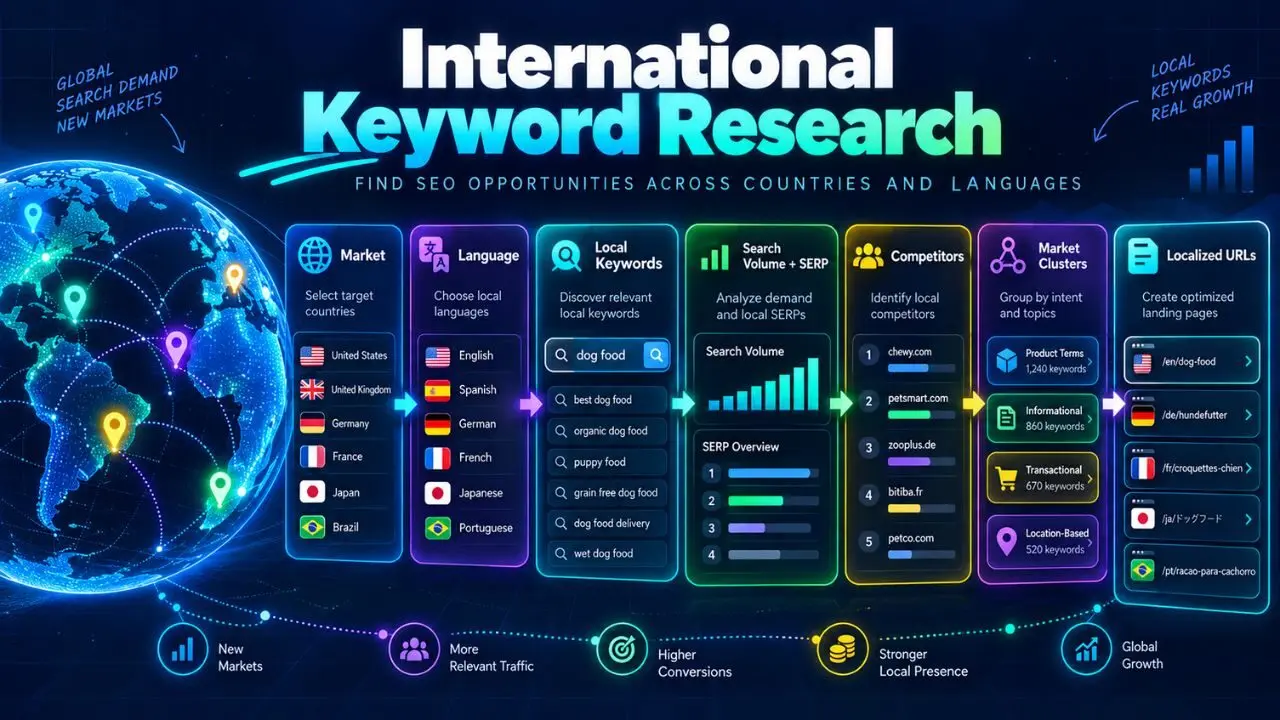
Heading Structure for International Content
Localized heading structure should preserve logical hierarchy while adapting the language naturally.
Do not mechanically translate headings word for word if the resulting phrase is unnatural.
Your International Keyword Research workflow should inform:
- terminology
- local search intent
- page language
The structure can remain consistent while the wording changes.
Can You Skip From H2 to H4?
For clean document structure, avoid unnecessary heading-level skips.
Prefer:
H2
  H3
    H4
rather than:
H2
  H4
Google’s developer accessibility guidance recommends not skipping hierarchy levels.
Even apart from SEO, maintaining logical nesting makes editing and accessibility easier.
Can You Use Multiple H2s?
Yes.
That is normal.
An article might contain 10, 20, or more H2s if the topic requires them.
There is no meaningful SEO rule such as:
Maximum five H2 tags.
Use enough headings to organize the content.
Do not add headings simply to reach a number.
How Many H3s Should Be Under an H2?
There is no fixed requirement.
One H2 might contain:
- no H3s
- two H3s
- ten H3s
The appropriate number depends on the subject.
For example:
12 Heading Structure Best Practices
could contain 12 numbered H3 subsections.
That is logical because each H3 represents one practice.
Should Every Paragraph Have a Heading?
No.
Too many headings can make content feel fragmented.
For example:
What Is SEO?
Paragraph.
Why SEO Matters
Paragraph.
Search Engines
One sentence.
One sentence.
Crawling
One sentence.
This structure may become harder to read rather than easier.
A heading should introduce a meaningful section.
Can Headings Be Questions?
Yes.
Question headings work especially well when they reflect real user needs.
Examples:
What Is a Meta Description?
How Long Should a Title Tag Be?
Can You Use Multiple H1 Tags?
They are useful when the section directly answers the question.
Do not make every heading a question just because question keywords appear in a research tool.
Headings and Featured Snippets
It can be helpful to organize content clearly when answering specific questions.
For example:
How Do You Write a Meta Description?
followed by a concise answer and then more detail.
However, do not assume that using an H2 question guarantees a featured snippet.
Search-result presentation is determined by search engines.
Your responsibility is to make the answer clear and useful.
Heading Structure and Table of Contents
A table of contents can be valuable for long articles.
It allows users to jump to sections.
For example:
- What Is Heading Structure?
- H1 vs H2 vs H3
- Best Practices
- Common Mistakes
- FAQ
For long guides like the articles on hafizahmedzafar.com, this can make navigation easier.
Use stable heading anchors if your WordPress setup supports them.
Heading Structure and Internal Linking
Heading sections can create natural internal-link opportunities.
For example, this article mentions:
Title Tags
which can link to the dedicated Title Tags guide.
It also mentions:
Search Intent
which can link to your Search Intent article.
Internal links should support the reader when a connected topic deserves deeper explanation.
Do not insert an internal link simply because a heading contains a keyword.
Heading Structure and Content Briefs
A good content brief should define the basic heading architecture before drafting.
For example:
H1
Heading Structure for SEO
H2
What Is Heading Structure?
H2
Why It Matters
H2
H1 vs H2 vs H3
H2
Best Practices
H2
Common Mistakes
H2
FAQ
This gives the writer a clear content boundary.
However, the outline should remain flexible.
Research may reveal additional sections worth adding.
How to Audit Heading Structure
You can review headings manually or with crawling tools.
For each important page, check:
H1
- Is it present?
- Is it descriptive?
- Does it reflect the main page topic?
Hierarchy
- Are major sections H2s?
- Are supporting subsections H3s?
- Are levels unnecessarily skipped?
Quality
- Are headings descriptive?
- Are they duplicated?
- Are they keyword stuffed?
Content
- Does each heading have meaningful supporting content?
Accessibility
- Are real heading elements used?
Page Alignment
- Does the heading structure support the same intent as the title and content?
Example Heading Audit
Suppose a page contains:
H1: SEO Guide
H4: What Is SEO?
H2: Benefits
H5: Technical SEO
H2: Benefits
Problems include:
- vague H1
- skipped hierarchy
- duplicate H2
- Technical SEO placed under an unclear level
A better structure:
H1: SEO Fundamentals: A Beginner's Guide

H2: What Is SEO?

H2: Why SEO Matters

H2: Main Areas of SEO
    H3: Technical SEO
    H3: On-Page SEO
    H3: Off-Page SEO
The second structure is easier to understand.
Heading Structure in WordPress
WordPress makes it easy to assign heading levels.
Inside the block editor:
- article title normally becomes the H1 through your theme
- major content headings should usually be H2
- subsections should usually be H3
- deeper sections can use H4 when necessary
Avoid manually adding another H1 inside the body unless there is a genuine structural reason.
For your current blog workflow, use:
Post Title → H1
then:
Main sections → H2
and:
Supporting sections → H3
That will keep your articles consistent.
Heading Structure and SEO Plugins
SEO plugins may warn about:
- missing keyword in a heading
- missing H1
- heading distribution
Use those suggestions as editorial prompts.
Do not treat every warning as a Google requirement.
For example, if your plugin asks for the focus keyword in an H2 and you already have:
How to Build a Logical Heading Hierarchy
you do not need to rewrite it awkwardly as:
Heading Structure SEO Best Practices Heading Hierarchy
The first is clearer.
Plugin scores are useful.
Reader experience remains more important.
Heading Structure and AI-Written Content
AI can generate structured outlines quickly.
But automated outlines can also become repetitive.
Common patterns include:
- What Is X?
- Why X Matters
- Benefits of X
- Types of X
- Future of X
even when those sections do not meaningfully answer the search intent.
Review AI-generated heading structures for:
- redundancy
- logical progression
- actual usefulness
- section overlap
A clean outline should reflect the topic rather than a generic template.
Common Heading Structure Mistakes
Using Headings for Styling Only
Use CSS for design.
Use headings for structure.
Multiple Unclear H1s
Keep one obvious main heading in your standard editorial workflow.
Skipping Levels Randomly
Prefer a logical hierarchy.
Stuffing Keywords Into Every Heading
Use natural language.
Generic Headings
Avoid headings such as:
- More
- Information
- Other Things
when a descriptive phrase is possible.
Duplicate Headings
Make each section purpose clear.
Headings With No Content
A heading should introduce meaningful information.
Extremely Long Headings
Keep them scannable.
Turning Every Sentence Into a Heading
Headings should organize sections, not fragment the article.
Ignoring User Intent
A technically perfect heading hierarchy cannot rescue content that answers the wrong question.
Does Heading Structure Directly Improve Rankings?
Avoid thinking of heading tags as a ranking shortcut.
Changing:
<p> to <h2>
is not a substitute for better content.
The useful SEO value comes from building pages that are:
- clearly organized
- descriptive
- readable
- easy to navigate
- aligned with search intent
Google’s people-first content guidance explicitly encourages descriptive, helpful main headings or page titles.
That is a much better principle than chasing a specific number of H2 tags.
How to Measure Heading Improvements
Heading changes are difficult to isolate from other content changes.
Still, after restructuring an important page, monitor:
- impressions
- clicks
- rankings
- engagement
- conversions
You may also assess usability qualitatively.
Ask:
- Is the article easier to scan?
- Can users find answers more quickly?
- Is the table of contents clearer?
- Is the content brief easier for editors to maintain?
Not every SEO improvement needs to be judged by one ranking number.
Heading Structure Checklist
Before publishing, confirm:
H1
- one clear main page heading
- accurately describes the topic
- aligns with search intent
H2
- major sections use H2
- sections are descriptive
- no unnecessary duplication
H3
- used for genuine subsections
- logically belongs under the parent H2
H4–H6
- used only when deeper hierarchy is useful
- not chosen merely for styling
Keywords
- primary topic appears naturally
- no heading keyword stuffing
Accessibility
- real HTML heading elements used
- hierarchy remains logical
Readability
- page is easy to scan
- headings are concise
- headings accurately predict section content
SEO
- title and H1 support the same page purpose
- internal links are added where useful
- no competing page owns the same primary intent
FAQ
What is heading structure in SEO?
Heading structure is the hierarchical organization of a page using HTML heading elements such as H1, H2, H3, and deeper levels. It helps organize the main topic, sections, and subsections clearly.
Should every page have an H1?
For most standard web pages and articles, having one obvious H1 representing the main content heading is a clean and accessible editorial convention.
Can I use multiple H2 tags?
Yes. Use as many H2s as needed to divide the page into meaningful major sections.
Should I put keywords in every heading?
No. Use relevant keywords naturally where they accurately describe the section. Do not force the focus keyword into every heading.
Can I skip from H2 to H4?
It is better to preserve a logical hierarchy and use H3 between H2 and H4 when the content genuinely has that level of nesting.
Is H1 more important than H2 for SEO?
The H1 normally represents the main topic while H2s represent major sections. Do not treat them as different keyword-strength settings. Use them according to document structure.
Should the H1 match the SEO title?
They can be identical, but they do not have to be. Both should clearly describe the same primary topic and search intent.
How many headings should an article have?
There is no ideal number. Use enough headings to organize the content without fragmenting it unnecessarily.
Final Thoughts
Heading structure is not a keyword-placement formula.
It is information architecture at the page level.
A strong structure looks like:
Main Topic → Major Sections → Supporting Subsections → Deeper Details
For most articles:
H1 → H2 → H3
will handle nearly everything you need.
Use deeper levels only when the content genuinely requires them.
Write headings that are:
- descriptive
- concise
- useful
- logically nested
- aligned with search intent
Most importantly, make sure the content beneath each heading actually delivers what the heading promises.
Good headings help readers understand where they are, what comes next, and where to find the information they need.
That is more valuable than simply inserting keywords into H2 tags.
After structuring the content with clear headings, the next on-page element to optimize is the address used to access that content: URL optimization.