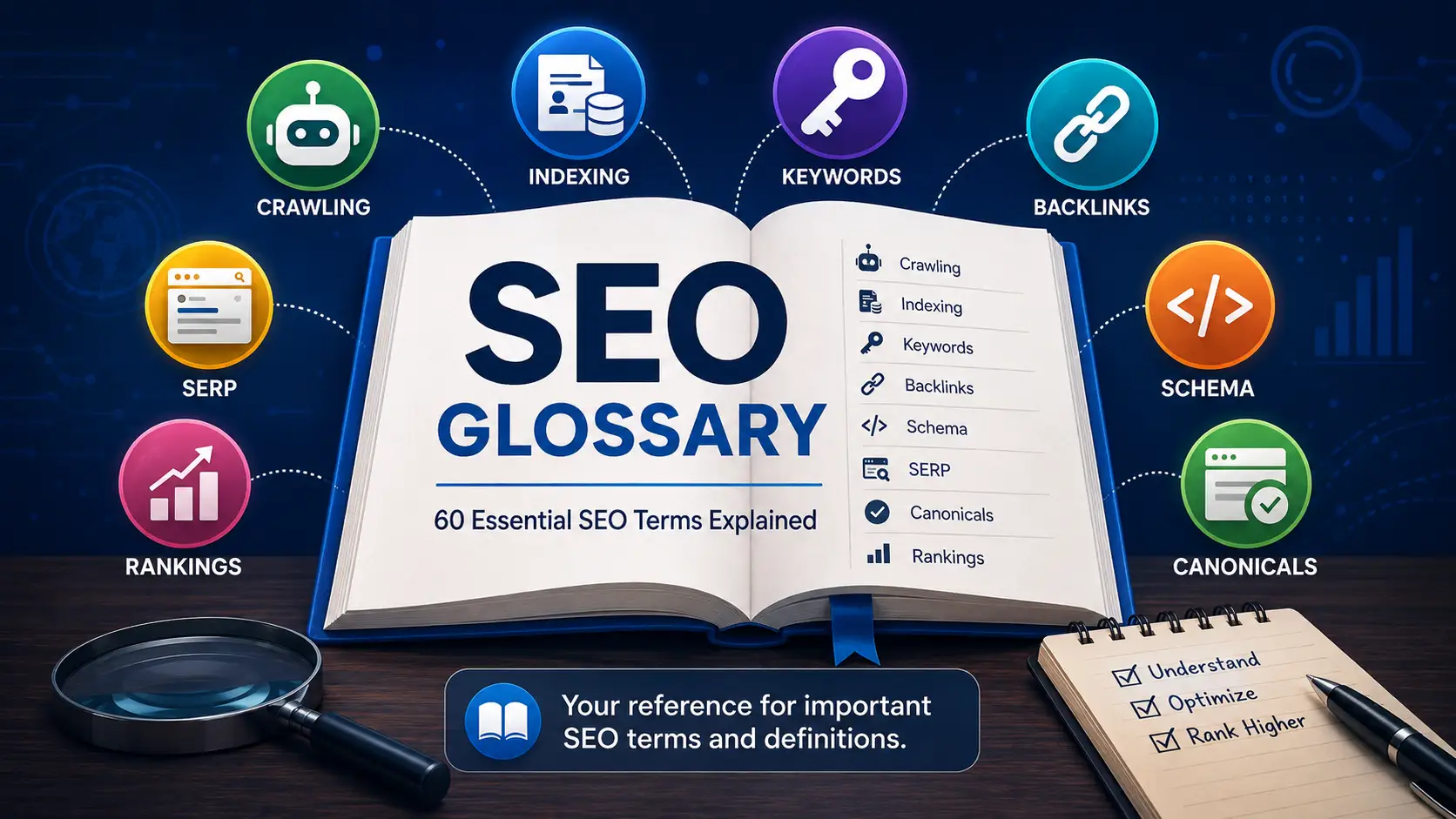

SEO comes with a language of its own.
If you are new to search engine optimization, terms such as canonical URL, crawl budget, search intent, anchor text, structured data, and SERP can quickly make a simple conversation feel unnecessarily technical.
This SEO glossary is designed to make those concepts easier to understand.
Instead of memorizing definitions, focus on understanding what each term means, where it fits into the SEO process, and why it matters when you are optimizing a website.
Whether you are a business owner, marketer, blogger, developer, freelancer, or SEO beginner, this guide can serve as a practical reference as you work through keyword research, content optimization, technical SEO, internal linking, analytics, and search performance.
If you are completely new to search optimization, start with my SEO fundamentals guide before working through the terminology below.
How to Use This SEO Glossary
You do not need to learn all 60 terms at once.
A better approach is to understand them in groups:
- Search engine fundamentals
- Keywords and search intent
- On-page SEO
- Technical SEO
- Links and authority
- Content architecture
- Measurement and analytics
Bookmark this SEO glossary and return to it whenever you encounter an unfamiliar term in an SEO report, tutorial, plugin, or platform.
Search Engine Fundamentals
1. SEO
SEO stands for search engine optimization.
It is the practice of improving a website so search engines can discover, understand, index, and surface its content for relevant searches.
SEO commonly includes:
- Technical SEO
- On-page SEO
- Content optimization
- Off-page SEO
- Local SEO
- Ecommerce SEO
- Analytics and measurement
SEO is not simply the practice of inserting keywords into pages. It combines content quality, technical accessibility, website structure, authority, and user experience.
2. Search Engine
A search engine is a system that helps users find information across the web.
Examples include:
- Bing
- Brave Search
Search engines use automated systems to discover pages, process their content, organize information, and return relevant results when users perform searches.
3. Search Query
A search query is the exact phrase a person enters into a search engine.
Examples:
what is seobest crm for small businesstechnical seo checklistplumber near me
The query represents what the user actually searched.
4. Keyword
A keyword is a word or phrase that marketers associate with a topic people search for.
Examples:
- SEO
- keyword research
- local SEO
- WordPress SEO
- technical SEO audit
A keyword helps define the subject of a page, but the page should ultimately be created around the reader’s problem and search intent.
5. Primary Keyword
A primary keyword is the main search topic assigned to a page.
For this article, the primary keyword is:
SEO glossary
Assigning one clear primary topic helps prevent multiple pages from competing unnecessarily for the same intent.
6. Secondary Keywords
Secondary keywords are related terms that support the main topic.
For an SEO glossary, related terms could include:
- SEO terms
- SEO terminology
- SEO definitions
- technical SEO terms
- search engine optimization terms
Secondary keywords should appear naturally where they improve clarity.
7. Long-Tail Keyword
A long-tail keyword is a more specific search query, often associated with a clearer user need.
Example:
Broad:
SEO tools
More specific:
best SEO tools for small business
Long-tail searches often have lower overall search volume but can be highly relevant because they reveal more specific intent.
8. Search Intent
Search intent describes what a user is trying to accomplish with a search.
Common intent categories include:
- Informational
- Navigational
- Commercial
- Transactional
For example:
what is SEO → informational
best SEO tools → commercial
hire SEO consultant → transactional
Understanding intent helps determine which type of page should be created.
You can learn more in my complete guide to search intent.
9. SERP
SERP stands for search engine results page.
It is the page shown after someone performs a search.
A SERP may contain:
- Organic listings
- Paid advertisements
- Images
- Videos
- Local results
- Shopping results
- News
- AI-generated experiences
- Other search features
Analyzing the SERP is one of the best ways to understand current search intent.
10. Organic Search
Organic search refers to unpaid search results.
A business does not pay the search engine every time someone clicks an organic result.
However, SEO still requires investment in areas such as:
- Content
- Development
- Research
- Tools
- Design
- Analysis
- Maintenance
Organic search should therefore not be confused with free marketing.
Crawling, Indexing and Ranking
11. Crawling
Crawling is the process search engines use to discover and retrieve pages and other web resources.
Search-engine crawlers can discover URLs through:
- Internal links
- External links
- XML sitemaps
- Previously discovered pages
Crawling happens before a search engine can properly process a page for indexing.
12. Crawler
A crawler, sometimes called a spider or bot, is automated software that requests web pages and follows links.
Examples include:
- Googlebot
- Bingbot
A crawler is not the same as a normal human visitor, which is why technical accessibility matters.
13. Googlebot
Googlebot is Google’s web crawler.
It discovers and retrieves web content that Google’s systems may process for Search.
Allowing Googlebot to access a page does not guarantee that the page will be indexed or rank.
For a deeper explanation, read How Search Engines Work.
14. Rendering
Rendering is the process of processing a web page so its final content can be understood after resources such as JavaScript are executed.
Rendering is particularly important for websites where meaningful content depends heavily on JavaScript.
15. Indexing
Indexing is the stage where a search engine processes a page and may include information about it in its searchable index.
A page can be:
- Discovered but not crawled
- Crawled but not indexed
- Crawled and indexed
- Excluded because of duplication
- Blocked with noindex
Crawling does not guarantee indexing.
16. Search Index
A search index is the organized collection of information that a search engine can retrieve when answering search queries.
A useful analogy is a giant digital library.
The search engine does not start scanning the entire live web from scratch every time someone searches.
17. Ranking
Ranking refers to the position in which search results appear for a particular query.
A page can rank differently depending on:
- Search query
- Location
- Language
- Device
- Search context
- Competition
- Time
There is no single permanent ranking position for a page.
18. Relevance
Relevance describes how closely a page matches the meaning and purpose of a query.
A well-designed website can still perform poorly if its content does not address what the searcher actually wants.
On-Page SEO Terms
19. On-Page SEO
On-page SEO refers to optimizations made directly on an individual page.
This commonly includes:
- Titles
- Headings
- Content
- URLs
- Internal links
- Images
- Search intent
- Metadata
The objective is to create a page that is clear to both users and search engines.
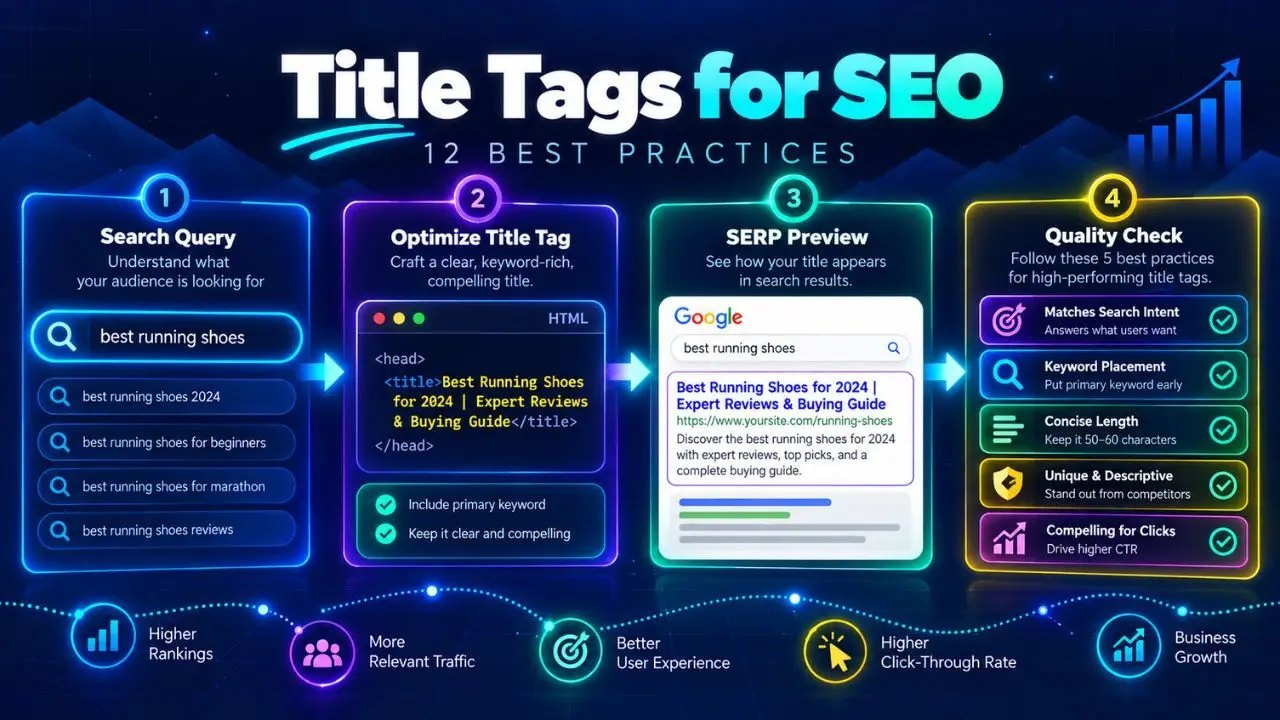
20. Title Tag
A title tag is the HTML title associated with a web page.
Example:
<title>SEO Glossary: 60 Essential SEO Terms Explained</title>
The title should accurately describe the page and help users understand what they will find.
21. Meta Description
A meta description is an HTML element that summarizes a page.
Example:
<meta
  name="description"
  content="Use this SEO glossary to learn essential SEO terms and definitions."
>
Search engines may use a meta description when creating a search snippet, although they can also generate a snippet from visible page content.
22. H1
The H1 is normally the main visible heading of a page.
Example:
<h1>SEO Glossary: 60 Essential SEO Terms Explained</h1>
It should clearly communicate the page’s primary subject.
23. Heading Structure
Heading structure refers to the hierarchy of headings such as H1, H2, and H3.
Example:
H1: SEO Glossary

H2: Technical SEO Terms

H3: Canonical URL

H3: Robots.txt
Logical headings improve readability, accessibility, and content organization.
24. URL
A URL is the address of a resource on the web.
Example:
https://hafizahmedzafar.com/seo-glossary/
Good URLs are normally:
- Stable
- Descriptive
- Easy to understand
- Free from unnecessary complexity
25. Slug
A slug is the part of a URL identifying an individual page.
Example:
https://hafizahmedzafar.com/seo-glossary/
The slug is:
seo-glossary
Short, descriptive slugs are generally easier to manage.
26. Alt Text
Alt text is text associated with an image that describes meaningful image content.
Example:
<img
  src="seo-glossary.webp"
  alt="SEO glossary showing essential SEO terms and concepts for beginners"
>
Alt text primarily supports accessibility.
It should describe the image naturally rather than being used for keyword stuffing.
27. Image SEO
Image SEO refers to optimizing images for performance, accessibility, and discoverability.
It can include:
- Descriptive filenames
- Appropriate alt text
- Image compression
- Correct dimensions
- Modern file formats
- Responsive delivery
- Relevant surrounding content
Technical SEO Terms
28. Technical SEO
Technical SEO focuses on the technical conditions that affect crawling, rendering, indexing, and usability.
Typical technical SEO areas include:
- Robots.txt
- XML sitemaps
- Canonicals
- Redirects
- Status codes
- JavaScript
- HTTPS
- Page performance
- Website architecture
29. Robots.txt
Robots.txt is a file that communicates crawling instructions to compatible search-engine crawlers.
Example:
User-agent: *
Disallow: /private/
Robots.txt is primarily a crawling control.
It is not the same as a noindex directive.
30. Noindex
Noindex is an instruction that tells compatible search engines not to include a page in their search index.
Example:
<meta name="robots" content="noindex">
A page can still potentially be crawled while being excluded from indexing.
31. Canonical URL
A canonical URL is the preferred version of a page when multiple URLs contain identical or very similar content.
For example:
https://hafizahmedzafar.com/seo-glossary/
https://hafizahmedzafar.com/seo-glossary/?source=email
The site may want:
example.com/product
to serve as the preferred version.
32. Canonical Tag
A canonical tag communicates a preferred URL.
Example:
<link rel="canonical" href="https://hafizahmedzafar.com/seo-glossary/">
Canonical tags are useful for managing duplicate and near-duplicate URLs.
33. Duplicate Content
Duplicate content refers to identical or substantially similar content available through multiple URLs.
Common causes include:
- URL parameters
- Product variants
- Tracking links
- CMS-generated archives
- HTTP/HTTPS duplication
Duplicate content does not automatically mean a penalty.
The primary issue is often determining which URL should represent the content.
34. Redirect
A redirect automatically sends users and crawlers from one URL to another.
Example:
/old-page/
     ↓
/new-page/
Redirects are commonly used when URLs change or pages are consolidated.
35. 301 Redirect
A 301 redirect indicates that a page has permanently moved to another URL.
Example:
/old-seo-guide/
        ↓
/seo-guide/
36. 302 Redirect
A 302 redirect generally represents a temporary redirect.
Use temporary redirects when the original URL is expected to become active again.
37. 404 Error
A 404 status code means the requested resource could not be found.
404s are not automatically bad.
They become problematic when:
- Important pages unexpectedly disappear
- Internal links lead to missing URLs
- Valuable old URLs are removed without an appropriate replacement
38. HTTP Status Code
An HTTP status code tells a browser or crawler what happened when it requested a URL.
Common examples:
- 200 — success
- 301 — permanent redirect
- 302 — temporary redirect
- 404 — not found
- 500 — server error
Status codes are fundamental to technical SEO troubleshooting.
39. XML Sitemap
An XML sitemap is a file containing URLs that a website wants search engines to know about.
Example:
<url>
  <loc>https://hafizahmedzafar.com/seo-glossary/</loc>
</url>
A sitemap can help discovery.
It does not guarantee indexing or ranking.
40. Structured Data
Structured data is machine-readable information that helps search engines understand specific details about a page.
Schema.org vocabulary is commonly used.
Examples include:
- Article
- Product
- Breadcrumb
- Organization
Google provides detailed guidance on supported structured data in Google Search Central.
41. Schema Markup
Schema markup is a common term for structured data implemented using Schema.org vocabulary.
For an article, markup may describe:
- Author
- Headline
- Image
- Publication date
- Updated date
Structured data should always represent content that genuinely exists on the page.
42. Breadcrumb
A breadcrumb shows a page’s position within the website hierarchy.
Example:
Home > SEO Glossary
Breadcrumbs help users understand site structure and move between related sections.
43. HTTPS
HTTPS is the secure version of HTTP.
Example:
https://hafizahmedzafar.com/
It encrypts information exchanged between a visitor’s browser and the website.
44. Core Web Vitals
Core Web Vitals are metrics associated with important aspects of page experience.
They include measurements related to:
- Loading
- Responsiveness
- Visual stability
They should be treated as part of overall website quality, not as a replacement for useful content.
45. Page Speed
Page speed describes how quickly and smoothly a page loads and becomes usable.
Performance can be affected by:
- Images
- JavaScript
- CSS
- Fonts
- Hosting
- Caching
- Third-party scripts
Faster websites usually provide a better user experience.
Links and Authority
46. Internal Link
An internal link connects one page on a website to another page on the same website.
Example:
SEO Fundamentals
       ↓
SEO Glossary
Internal links help:
- Users navigate
- Crawlers discover pages
- Establish relationships between content
- Create logical topic architecture
47. External Link
An external link points from your website to another website.
External links are useful when referencing:
- Official documentation
- Research
- Data
- Tools
- Primary sources
The goal should be to help the reader, not merely satisfy an SEO plugin.
48. Backlink
A backlink is a link from another website to your website.
Backlinks can contribute to:
- Discovery
- Referral traffic
- Brand exposure
- Authority
Quality and relevance matter far more than simply accumulating large quantities of links.
49. Anchor Text
Anchor text is the clickable text used in a link.
Example:
<a href="https://hafizahmedzafar.com/seo-glossary/">learn about search intent</a>
The anchor text is:
learn about search intent
Good anchor text should help users understand what they will find after clicking.
50. Orphan Page
An orphan page is a page that receives no meaningful internal links from other pages on the site.
Orphan pages can be difficult for both users and search engines to discover through the normal site structure.
51. Link Building
Link building is the process of earning or acquiring links from other websites.
Legitimate approaches can include:
- Original research
- Digital PR
- Expert contributions
- Useful tools
- Partnerships
- Valuable resources
Avoid treating link building as the mass production of artificial backlinks.
52. Link Spam
Link spam refers to links created primarily to manipulate search rankings.
Examples may include:
- Automated link schemes
- Paid links intended to manipulate ranking signals
- Large-scale low-quality link exchanges
Focus on links that make sense for real users.
Content and Website Architecture
53. Topic Cluster
A topic cluster is a group of related pages addressing different parts of a broader topic.
Example:
Technical SEO
├── Crawling
├── Indexing
├── XML Sitemaps
├── Robots.txt
├── Canonical Tags
└── Redirects
Topic clusters help organize a website around meaningful subject areas.
54. Pillar Page
A pillar page is a comprehensive resource covering a major topic and linking to more focused supporting content.
For example:
Technical SEO: Complete Guide
could link to individual articles about:
- Sitemaps
- Canonicals
- Robots.txt
- Redirects
55. Category
A category is a broad website section that organizes related content.
For this website:
Category: SEO
      ↓
Pillar: SEO Foundations
      ↓
Articles:
SEO Fundamentals
How Search Engines Work
Search Intent
SEO Glossary
A category is therefore broader than an individual pillar article.
56. Keyword Cannibalization
Keyword cannibalization is an SEO industry term for situations where multiple pages unnecessarily compete for substantially the same search intent.
For example:
/what-is-technical-seo/
/technical-seo-guide/
/technical-seo-explained/
If all three pages serve essentially the same purpose, consolidation may create a stronger resource.
57. Keyword Mapping
Keyword mapping assigns topics and search intents to specific URLs.
Example:
SEO Fundamentals
→ /seo-fundamentals/

Search Intent
→ /search-intent/

SEO Glossary
→ /seo-glossary/
Keyword mapping helps establish clear page ownership.
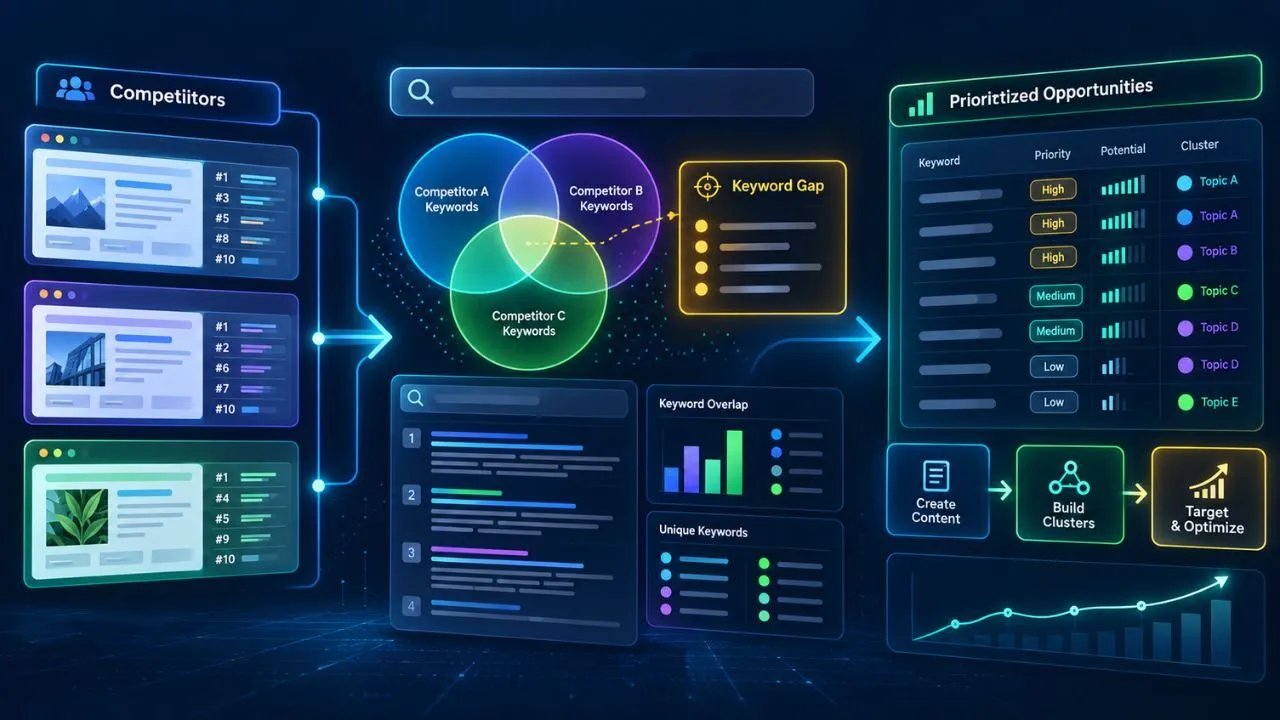
58. Content Gap
A content gap is a topic, question, or audience need that a website does not currently address effectively.
Content gaps can be discovered through:
- Customer questions
- Competitor analysis
- Search data
- Internal site analysis
- Sales conversations
The goal is not to copy competitors. It is to discover unmet reader needs.
SEO Measurement Terms
59. Google Search Console
Google Search Console is Google’s platform for understanding how a website performs in Google Search.
It can provide information about:
- Queries
- Impressions
- Clicks
- Search positions
- Indexing
- Sitemaps
- Individual URLs
It is one of the most useful tools for SEO monitoring and troubleshooting.
60. CTR
CTR stands for click-through rate.
In search reporting, it generally represents the percentage of impressions that resulted in clicks.
Conceptually:
Clicks ÷ Impressions × 100
For example:
100 clicks
÷
2,000 impressions
=
5% CTR
CTR should always be interpreted in context because it can vary by ranking position, query type, brand familiarity, and SERP layout.
Additional SEO Terms Worth Knowing
Once you understand the 60 terms above, you will also encounter concepts such as:
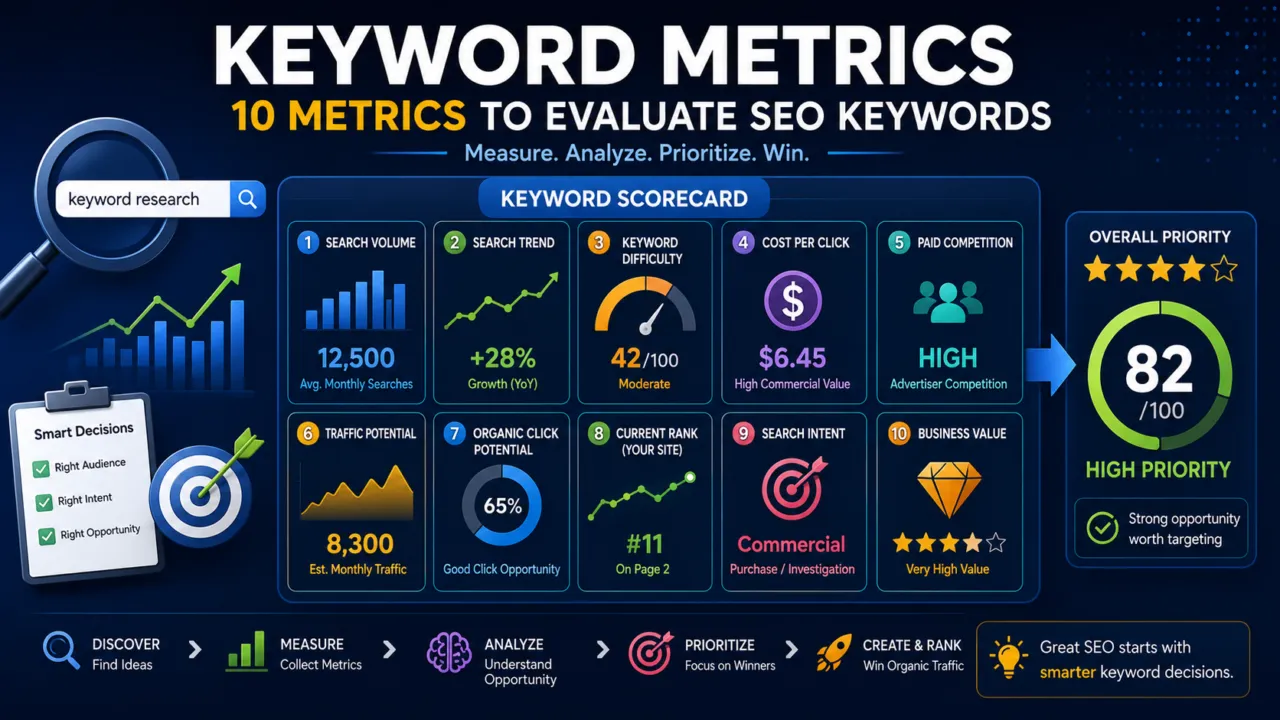
- Search volume
- Keyword difficulty
- Crawl budget
- Crawl depth
- JavaScript SEO
- Conversion rate
- Featured snippets
- Local citations
- Digital PR
- E-E-A-T
- YMYL
- Domain Authority
- Domain Rating
- Search visibility
Some of these are official search-engine concepts, while others are terminology or metrics developed by the SEO industry and third-party tools.
That distinction matters.
For example, Domain Authority and Domain Rating are third-party metrics. They are not Google ranking scores.
SEO Terms Beginners Should Learn First
If you are completely new to SEO, begin with these 15 terms:
- SEO
- Keyword
- Search intent
- SERP
- Crawling
- Indexing
- Ranking
- On-page SEO
- Technical SEO
- Internal link
- Backlink
- Title tag
- Meta description
- Canonical URL
- Google Search Console
Once these concepts make sense, the rest of this SEO glossary will become much easier to understand.
A Practical Example
Imagine you publish:
https://hafizahmedzafar.com/seo/search-intent/
A crawler discovers the URL through an internal link.
The server returns a successful HTTP status code.
The search engine crawls and potentially renders the page.
The page may then be indexed.
Your title tag explains the page topic.
Your meta description summarizes the article.
A canonical tag identifies the preferred URL.
Your XML sitemap also lists the page.
Other websites may eventually create backlinks to the article.
Users begin seeing the page in the SERP for relevant search queries.
You then use Google Search Console to monitor:
- Impressions
- Clicks
- CTR
- Search queries
- Average positions
This example shows how individual SEO terms connect to one larger process.
Common SEO Terminology Mistakes
Crawling and Indexing Are Not the Same
A page can be crawled without being indexed.
Indexing and Ranking Are Not the Same
Being indexed makes a page eligible to appear in search. It does not guarantee a strong ranking.
Keyword and Search Intent Are Not the Same
A keyword represents a search topic.
Search intent represents what the user wants to accomplish.
Internal Links and Backlinks Are Different
Internal links come from your own website.
Backlinks come from other websites.
Robots.txt and Noindex Are Different
Robots.txt primarily controls crawling.
Noindex controls whether a compatible search engine should include a page in its index.
Third-Party SEO Scores Are Not Google Scores
Metrics such as Domain Authority, Domain Rating, and keyword difficulty can be useful for analysis, but they should not be confused with Google’s internal ranking systems.
Final Thoughts
SEO becomes much easier once you understand the terminology.
You do not need to use complicated language to sound knowledgeable.
You need to understand what each concept represents and how it affects real websites.
Keep these core distinctions in mind:
Crawling is not indexing.
Indexing is not ranking.
A keyword is not search intent.
A backlink is not an internal link.
Robots.txt is not noindex.
A third-party authority score is not a Google ranking score.
Structured data does not guarantee enhanced search results.
Use this SEO glossary whenever you encounter an unfamiliar term, and continue building your understanding as you move into keyword research, on-page SEO, technical SEO, link building, analytics, and advanced search strategy.
The terminology may seem complicated at first, but the underlying system becomes logical once you understand how the individual concepts connect.