
An SEO audit is one of the most useful ways to understand why a website is performing well, struggling to grow, or losing organic visibility.
It is essentially a structured health check of your website.
A good SEO audit looks beyond rankings and asks deeper questions:
- Can search engines discover your important pages?
- Are those pages being indexed correctly?
- Is your website technically accessible?
- Does your content satisfy search intent?
- Are important pages internally connected?
- Are duplicate or low-value pages creating problems?
- Does the website provide a good user experience?
- Are backlinks supporting the pages that matter?
- Is organic traffic generating meaningful business results?
The purpose of an SEO audit is not to create a massive list of errors.
The purpose is to identify the problems and opportunities that matter most, prioritize them, and turn the findings into an actionable improvement plan.
This guide explains how to perform an SEO audit step by step.
What Is an SEO Audit?
An SEO audit is a systematic evaluation of a website’s search engine optimization performance.
It examines the major factors that can influence organic visibility, including:
- crawling
- indexing
- technical SEO
- site architecture
- on-page optimization
- content quality
- internal linking
- backlinks
- user experience
- analytics
- conversions
An audit should help you answer three important questions:
- What is working?
- What is limiting organic growth?
- What should we improve first?
An effective audit should end with clear priorities rather than a long spreadsheet full of disconnected issues.
Why Is an SEO Audit Important?
Websites change constantly.
New pages are published.
Old pages are deleted.
URLs are redirected.
Plugins are updated.
Templates change.
Navigation evolves.
Content becomes outdated.
Internal links break.
Tracking stops working.
Over time, even a well-optimized website can accumulate SEO problems.
Regular audits help identify these issues before they become larger problems.
An SEO Audit Can Reveal Problems Such As:
- important pages blocked from crawling
- pages accidentally set to noindex
- broken internal links
- redirect chains
- duplicate content
- incorrect canonical URLs
- orphan pages
- outdated content
- weak title tags
- missing internal links
- slow page templates
- keyword cannibalization
- poor mobile usability
- tracking errors
It can also reveal opportunities.
For example, you may discover that an article ranking on page two only needs better content and internal links to compete for stronger positions.
SEO Audit vs SEO Strategy
An SEO strategy determines where you want to go.
An SEO audit determines where you are now.
That distinction is important.
Your SEO strategy may identify technical SEO, content development, and topical authority as priorities.
The audit helps determine the actual condition of those areas.
The findings can then feed into your SEO project plan.
A practical workflow looks like this:
SEO Strategy → SEO Audit → Prioritization → Project Plan → Execution → Measurement
How Often Should You Perform an SEO Audit?
There is no single schedule that works for every website.
A small informational website may only require a detailed audit several times per year.
A large ecommerce or publishing website may need continuous monitoring alongside scheduled deeper reviews.
You should also consider an SEO audit when:
- launching a new website
- migrating to a new platform
- redesigning the site
- organic traffic suddenly declines
- rankings drop significantly
- acquiring an existing website
- changing URL structures
- expanding into a new market
- publishing a large amount of new content
The larger and more frequently changing the website, the more important ongoing auditing becomes.
How to Perform an SEO Audit
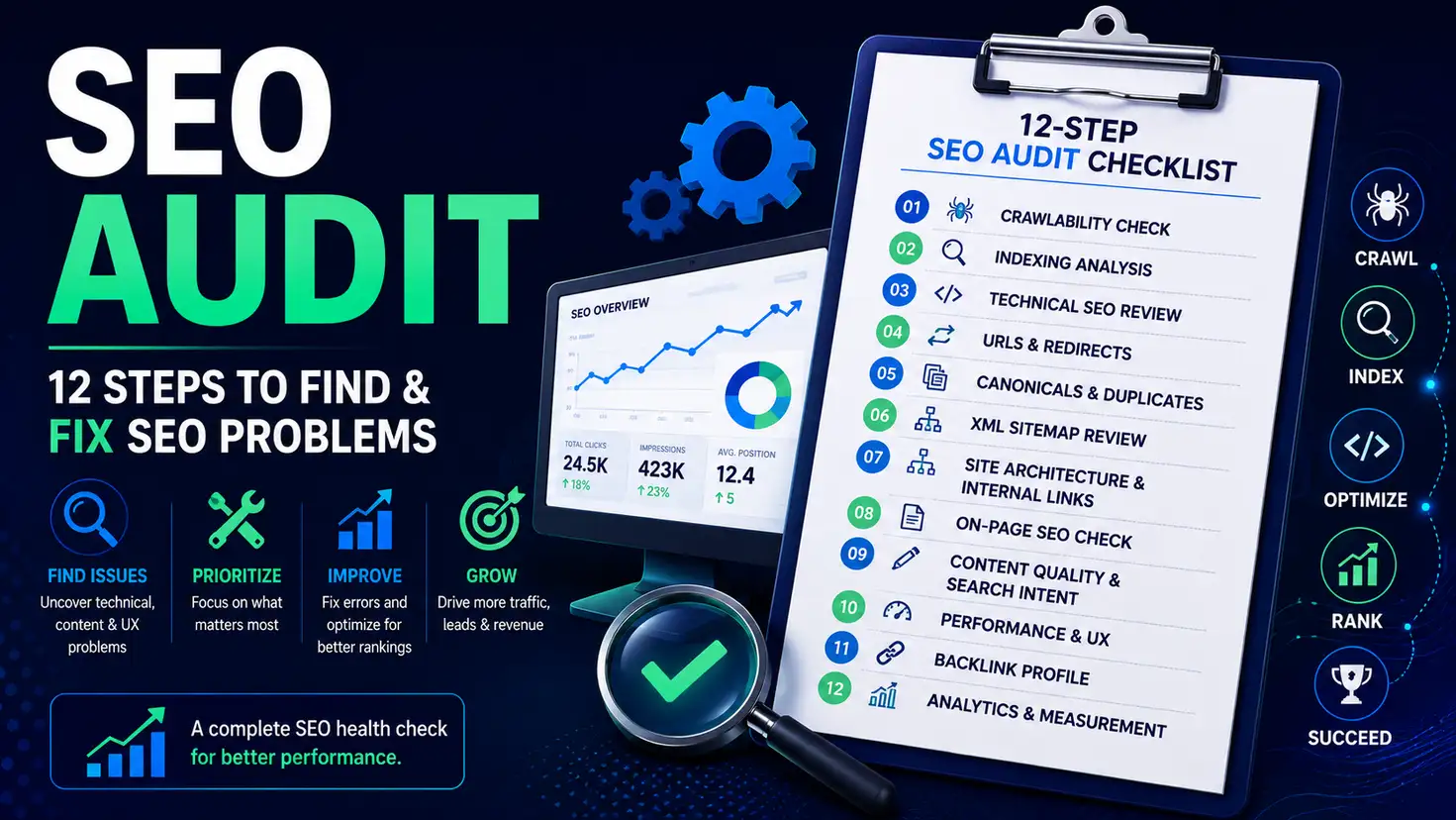
A comprehensive audit can be organized into 12 steps.
Step 1: Establish Your SEO Audit Baseline
Before fixing anything, document the current situation.
This provides a reference point for future comparisons.
Record important metrics such as:
- organic clicks
- organic impressions
- top landing pages
- conversions
- revenue from organic traffic
- indexed pages
- ranking keywords
- branded vs non-branded visibility
- referring domains
- backlinks
You may also want to record:
- site size
- number of published articles
- number of product or service pages
- major categories
- current CMS
- important website changes
The goal is to understand what exists before you begin making changes.
Step 2: Check Whether Search Engines Can Crawl the Website
Search engines need to discover and crawl pages before those pages can compete in search results.
Start by checking whether important URLs are accessible.
Review Robots.txt
Your robots.txt file can provide instructions about which areas search engine crawlers should or should not access.
Look for accidental blocks affecting:
- important categories
- blog content
- product pages
- scripts required for rendering
- entire directories
A robots.txt rule can prevent crawling, but it should not be treated as the primary method for removing a URL from search results.
Review Internal Links
Search engines commonly discover URLs by following links.
Important pages should be reachable through the website’s internal navigation and contextual links.
If an important page has no internal links pointing to it, it may become an orphan page.
Check Crawl Depth
Ask how many clicks a user or crawler needs to reach important pages from the homepage or major category pages.
Critical content should not be buried unnecessarily deep within the website.
Step 3: Audit Indexing
Crawling and indexing are different.
A page may be crawlable without being indexed.
Review which URLs search engines have chosen to include in their index.
Look for Important Pages Missing From the Index
Potential causes include:
- noindex directives
- duplicate content
- canonicalization
- poor internal linking
- low-value content
- crawl issues
- rendering problems
Look for Pages That Should Not Be Indexed
Examples might include:
- internal search pages
- unnecessary filter combinations
- staging pages
- duplicate archives
- temporary pages
- thin system-generated URLs
The goal is not to maximize the number of indexed pages.
The goal is to ensure that the right pages are indexed.
Step 4: Review HTTP Status Codes and Redirects
Every URL returns an HTTP status code.
Understanding these responses is important for technical SEO.
200 — Successful
The page loads normally.
301 — Permanent Redirect
The URL permanently redirects to another location.
302 — Temporary Redirect
The redirect is intended to be temporary.
404 — Not Found
The requested page cannot be found.
5xx — Server Error
The server could not successfully process the request.
During your SEO audit, look for:
- broken internal links
- unnecessary redirects
- redirect chains
- redirect loops
- important pages returning errors
Redirect Chains
Avoid situations like:
Page A → Page B → Page C → Page D
Whenever possible, redirect directly to the final destination.
Step 5: Audit Canonical URLs and Duplicate Content
Duplicate and near-duplicate URLs can make indexing signals harder to manage.
Examples may include:
- URL parameters
- print versions
- HTTP and HTTPS variants
- www and non-www versions
- filtered category pages
- duplicate product URLs
Canonical tags help indicate which version of a page should generally be treated as the preferred URL.
During the audit, confirm that:
- important pages use appropriate canonicals
- canonicals point to valid URLs
- canonical URLs are indexable
- internal links generally point to preferred URLs
- conflicting canonical signals are avoided
Be especially careful with automatic canonical implementations on ecommerce platforms and CMS templates.
Step 6: Review XML Sitemaps
An XML sitemap helps search engines discover URLs that you consider important.
Audit your sitemap to ensure that it contains:
- indexable URLs
- canonical URLs
- successful 200-status pages
- important content
Avoid filling the sitemap with:
- redirected URLs
- 404 pages
- noindexed pages
- duplicate URLs
- irrelevant parameter URLs
For larger websites, separate sitemaps can make monitoring easier.
For example:
- blog sitemap
- page sitemap
- product sitemap
- category sitemap
Step 7: Audit Site Architecture and Internal Linking
A strong website architecture helps both users and search engines understand how content is organized.
A useful structure might look like:
Homepage → Category → Pillar → Cluster → Supporting Article
Your audit should examine:
- navigation
- categories
- breadcrumbs
- internal links
- orphan pages
- crawl depth
- URL hierarchy
Check for Orphan Pages
An orphan page has no meaningful internal links pointing to it.
Even useful content can struggle when it is disconnected from the rest of the site.
Review Internal Anchor Text
Anchor text should help users understand what they will find after clicking.
For example:
Better: learn how search engines work
Weaker: click here
Identify Underlinked Important Pages
Important commercial pages, pillar pages, or strategic content may deserve more internal links from related pages.
Internal linking should reflect your website’s priorities.
Step 8: Audit On-Page SEO
Next, review individual page optimization.
Important elements include:
Title Tags
Check for:
- missing titles
- duplicate titles
- unclear titles
- excessively long titles
- weak relevance to search intent
H1 Headings
Each page should have a clear primary heading describing the topic.
Meta Descriptions
Meta descriptions can help communicate the value of a page in search results.
Avoid writing the same description for many different pages.
Heading Structure
Headings should organize content logically.
Use H2 and H3 sections to make long pages easier to understand.
URLs
URLs should generally be:
- descriptive
- readable
- stable
- reasonably short
Avoid changing good URLs simply for cosmetic reasons.
Step 9: Audit Content Quality and Search Intent
Technical SEO alone cannot make weak content valuable.
Review your content from the perspective of the searcher.
Ask:
- What is the searcher trying to accomplish?
- Does this page satisfy that need?
- Is the page complete enough?
- Is it accurate?
- Is it easy to understand?
- Does it provide something useful beyond generic information?
- Has the topic changed since publication?
- Does another page on the site target the same intent?
If you need a deeper explanation of intent, review the search intent guide.
Identify Thin or Low-Value Content
Thin content is not simply content with a low word count.
A short page can be excellent if it completely satisfies the user’s need.
The real issue is content that provides little useful value.
Identify Outdated Content
Look for:
- obsolete screenshots
- outdated statistics
- discontinued tools
- old interfaces
- inaccurate instructions
- dead external links
Content maintenance should be part of your SEO process.
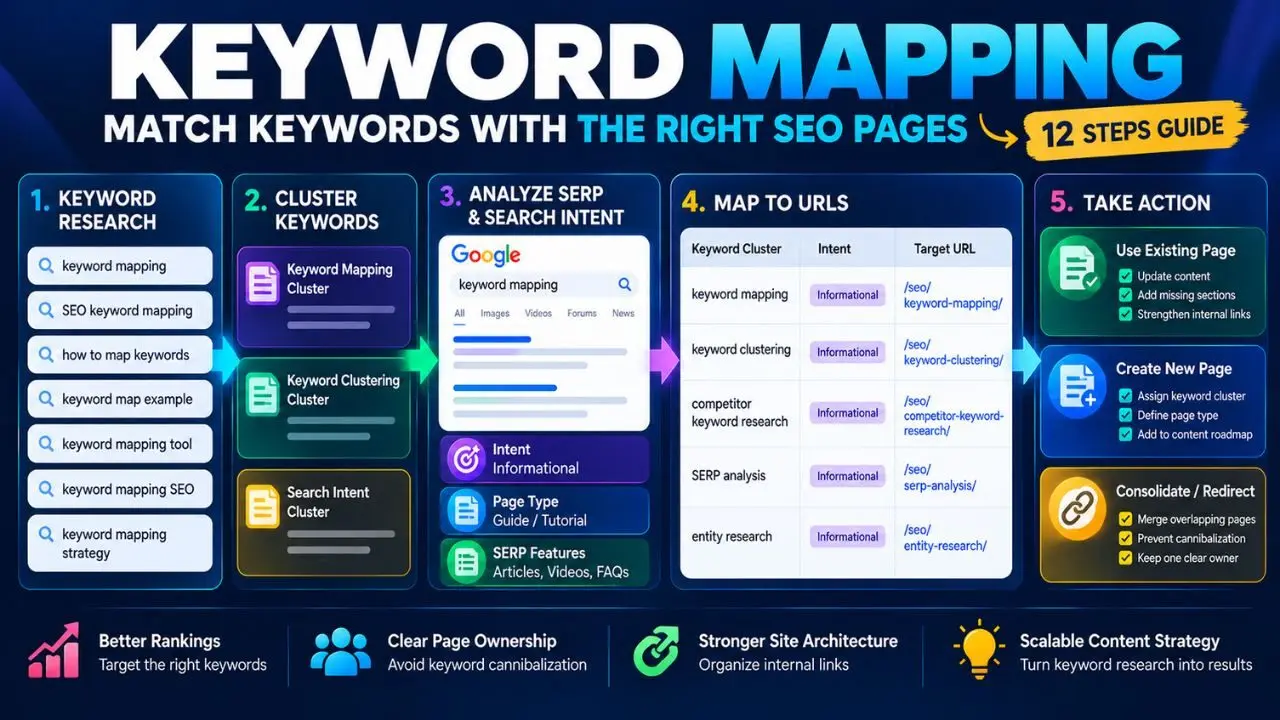
Step 10: Check for Keyword Cannibalization
Keyword cannibalization happens when multiple pages unnecessarily compete for the same search intent.
For example:
/seo-keyword-research-guide//complete-keyword-research//keyword-research-for-seo/
If all three pages effectively answer the same question, they may not need to exist separately.
Possible solutions include:
- consolidating pages
- changing their intent
- improving internal linking
- redirecting weaker duplicates
- clarifying page positioning
Do not assume that two pages ranking for similar keywords automatically means cannibalization.
The important question is whether the pages serve distinct purposes.
Step 11: Review Performance and User Experience
SEO performance is connected to the experience users receive after reaching your website.
Review:
- mobile usability
- layout stability
- page responsiveness
- intrusive elements
- navigation
- readability
- image sizes
- unnecessary scripts
- slow templates
Core Web Vitals
Core Web Vitals are performance-related metrics designed to evaluate important aspects of user experience.
During an audit, use performance data as diagnostic information rather than chasing a perfect score for its own sake.
The goal is a website that feels fast, stable, and usable.
Step 12: Review Backlinks and Website Authority
Backlinks are links from other websites to your website.
They can help search engines discover content and may contribute to how authority and relevance are understood.
During a backlink audit, examine:
- referring domains
- strongest linked pages
- relevant industry links
- lost backlinks
- broken linked URLs
- suspicious link patterns
Find Broken Pages With Backlinks
This can be a particularly useful opportunity.
If another website links to an old URL on your domain that now returns a 404 error, determine whether there is a relevant replacement page.
If so, a redirect may preserve the usefulness of that link.
Focus on Relevance and Quality
Do not evaluate backlinks only by quantity.
A smaller number of relevant, credible links can be far more useful than thousands of low-quality links.
Audit Your Analytics and Tracking
An SEO audit should not stop with rankings.
Make sure measurement works properly.
Check whether you are tracking:
- organic traffic
- contact forms
- ecommerce purchases
- phone clicks
- newsletter signups
- affiliate clicks
- downloads
- important button clicks
Your website could receive more traffic while producing no additional business value.
That is why SEO measurement should connect visibility to outcomes.
Review Google Search Console
Google Search Console is one of the most useful tools for SEO auditing.
It can help you investigate:
- queries
- impressions
- clicks
- average positions
- indexed URLs
- crawling information
- sitemap status
- page experience data
- manual actions
- security issues
Use it together with other crawling and analytics tools.
No single tool provides the entire picture.
How to Prioritize SEO Audit Findings
The audit is not complete when you find problems.
You need to prioritize them.
A useful model is:
Priority 1: Critical
Issues that can seriously prevent organic visibility.
Examples:
- important pages blocked
- sitewide noindex
- major server errors
- broken migration redirects
- severe canonical mistakes
Priority 2: High Impact
Issues likely to significantly improve performance.
Examples:
- important orphan pages
- weak internal linking
- major content gaps
- incorrect page targeting
- high-value pages with poor optimization
Priority 3: Medium
Useful improvements with lower urgency.
Examples:
- improving older content
- cleaning up unnecessary redirects
- better heading structure
- optimizing secondary pages
Priority 4: Low
Minor improvements and cosmetic issues.
Do not spend three weeks perfecting low-priority metadata while important pages remain unindexable.
Use an Impact vs Effort Framework
Another useful method is to evaluate every recommendation based on:
Impact: How valuable would fixing this issue be?
Effort: How difficult is the fix?
This creates four general groups.
High Impact + Low Effort
Do these first.
High Impact + High Effort
Plan these carefully.
Low Impact + Low Effort
Complete when convenient.
Low Impact + High Effort
Usually deprioritize.
This prevents technical audit reports from becoming overwhelming.
What Should an SEO Audit Report Include?
A professional audit report should not simply export thousands of crawler warnings.
It should explain:
The Problem
What is wrong?
The Evidence
Where is it happening?
The Impact
Why does it matter?
The Recommendation
What should be done?
The Priority
How urgent or valuable is it?
The Owner
Who should fix it?
The Status
Has the issue been addressed?
For example:
| Issue | Impact | Priority | Action |
|---|---|---|---|
| Important category noindexed | Very High | Critical | Remove unintended noindex |
| Orphan pillar page | High | High | Add contextual internal links |
| Duplicate title tag | Medium | Medium | Rewrite title |
| Minor redirect chain | Low | Low | Simplify during maintenance |
This turns the audit into a working document instead of a static report.
SEO Audit Tools
Different tools can help with different parts of the process.
Google Search Console
Useful for:
- search performance
- indexing
- sitemap monitoring
- URL inspection
Google Analytics
Useful for:
- traffic
- engagement
- conversions
- landing-page performance
Website Crawlers
Useful for:
- broken links
- redirects
- titles
- canonicals
- crawl depth
- status codes
- internal linking
Performance Tools
Useful for:
- loading performance
- Core Web Vitals
- page-level diagnostics
Backlink Platforms
Useful for:
- backlinks
- referring domains
- lost links
- competitor comparisons
Tools help collect evidence.
The SEO professional still needs to interpret that evidence correctly.
Common SEO Audit Mistakes
Treating Every Warning as a Problem
SEO tools often generate warnings based on general rules.
Not every warning requires action.
Fixing Issues Without Understanding Them
For example, automatically changing every canonical or redirect can create new problems.
Understand the reason before implementing a fix.
Focusing Only on Technical SEO
A website can be technically excellent and still have poor content.
Ignoring Business Priorities
An audit should prioritize pages that matter to the organization.
Trying to Achieve a Perfect Tool Score
A score of 100 does not guarantee rankings, traffic, or revenue.
Auditing Without Implementing
An audit has no value if its recommendations are never executed.
Never Rechecking Fixes
After implementing changes, validate that they actually worked.
SEO Audit for a New Website
A new website audit should focus heavily on foundations.
Review:
- HTTPS
- robots.txt
- XML sitemap
- indexability
- analytics
- Search Console
- page templates
- site architecture
- URLs
- categories
- internal linking
- mobile usability
It is easier to fix structural problems before the website contains thousands of pages.
SEO Audit for an Existing Website
Existing websites usually require deeper analysis.
Focus on:
- traffic trends
- historical performance
- old content
- redirects
- duplicate URLs
- cannibalization
- orphan pages
- backlinks
- technical debt
Older websites often contain valuable pages that can be improved rather than replaced.
SEO Audit for Ecommerce Websites
Ecommerce sites introduce additional complexity.
Audit areas may include:
- product variations
- faceted navigation
- filters
- category pages
- pagination
- out-of-stock products
- product duplication
- internal search pages
- structured data
- large XML sitemaps
The audit should pay particular attention to crawl efficiency and duplicate URL patterns.
SEO Audit for Local Businesses
Local business websites should also review:
- location pages
- business information consistency
- contact details
- service areas
- local landing pages
- reviews
- local schema where appropriate
- Google Business Profile connections
The overall technical and content fundamentals still apply.
Create an SEO Audit Action Plan
Once the audit is complete, turn the findings into an action plan.
A simple workflow is:
Audit → Prioritize → Assign → Fix → Validate → Measure
Every major issue should have:
- priority
- owner
- deadline
- recommended action
- validation method
This connects the audit directly to project execution.
SEO Audit Checklist
Use this checklist when reviewing a website.
Crawling
- robots.txt reviewed
- important pages crawlable
- broken internal links identified
- orphan pages identified
Indexing
- important URLs indexed
- unnecessary URLs excluded
- noindex directives reviewed
- canonical URLs checked
Technical SEO
- status codes reviewed
- redirect chains checked
- sitemaps validated
- HTTPS working
- mobile experience reviewed
Site Architecture
- navigation is logical
- important pages are accessible
- breadcrumbs are useful
- crawl depth is reasonable
On-Page SEO
- titles reviewed
- H1 headings reviewed
- meta descriptions reviewed
- URLs reviewed
- heading structures reviewed
Content
- search intent matched
- outdated content identified
- duplicate content reviewed
- cannibalization investigated
- content gaps identified
Internal Linking
- pillar pages supported
- orphan pages fixed
- relevant contextual links added
- anchor text reviewed
Performance
- page experience checked
- images optimized
- major performance problems identified
Authority
- backlinks reviewed
- broken linked pages checked
- referring domains analyzed
Measurement
- analytics working
- Search Console configured
- conversions tracked
- reporting established
Final Thoughts
A successful SEO audit is not about finding the largest possible number of errors.
It is about finding the right problems.
The process can be summarized as:
Crawl → Index → Architecture → Technical SEO → Content → Internal Links → Experience → Authority → Measurement → Prioritization
Start with problems that block search engines or seriously affect important pages.
Then work through high-impact opportunities.
Finally, address lower-priority improvements as part of ongoing maintenance.
SEO audits are most valuable when they become part of a continuous improvement cycle rather than a one-time exercise.
Audit the site, prioritize the findings, implement the fixes, measure the results, and audit again as the website evolves.